This week starts with a security notice from Microsoft. On Friday, November 20, Microsoft began emailing organizations whose Microsoft Entra details had been read through a flaw in one of its services, and those notices are still reaching business owners today. We received one ourselves. [1][2] The short version: attackers may now know exactly who to aim at when they pretend to be IT.
It follows a week of news we wrote about twice: the outages that hit Microsoft 365 and other big services (what really happened, and why it was not a cyberattack). Those outages were not hacking, but criminals still profited from the confusion. Microsoft says scammers sent a large wave of fake outage notices to organizations around the world, and police in Ukraine, working with the FBI, arrested key members of a ransomware gang that got in by phoning employees and pretending to be IT support. [3][4] Different tools, same trick: all of it borrows the trust you place in your IT team. Here is what happened and five habits that stop it.
Microsoft Warns Entra Customers to Expect Targeted Phishing
Microsoft says a flaw in Microsoft Entra Connect Health, a monitoring service administrators use for their sign-in and identity systems, let an unauthorized party read information about customer organizations. The flaw dates back to July 23. Microsoft found it on November 9, fixed it on November 19 and confirmed on Friday, November 20 that information had been read. [1][2]
What was read included the email addresses of each affected organization's technical contacts, plus details of its Microsoft setup: its name, domain, country, license level and directory sync status. Passwords were not exposed. [1][2]
So attackers now know who the IT and technical contacts are at those organizations, the people most likely to hold admin rights, and enough to send targeted, believable phishing that names your company, your Microsoft tenant or Microsoft Entra. That is exactly what a fake help desk or a fake Microsoft caller needs.
Microsoft's advice, in plain words: watch for messages that mention your tenant or Entra, confirm your technical contacts are current, put admin accounts on phishing-resistant multifactor authentication (MFA) with just-in-time access, and check any notice by signing in to the Azure portal yourself, not through a link in an email. Microsoft will never ask for your password or sign-in codes by email. [2]
Fake Outage Notices Hit Inboxes
On November 13, Microsoft Threat Intelligence observed what it calls a coordinated, high-volume phishing campaign targeting organizations across multiple sectors worldwide. [3] The emails were dressed up as Microsoft 365 service health notices. They claimed that email had been held during a service disruption and would be deleted within 24 hours unless the reader took action. One sample pointed to an incident in Exchange Online, Microsoft's business email service, said four messages were waiting and offered a large "RESTORE MESSAGES" button. [3]
That button led to a site that was not Microsoft's. Microsoft assesses the campaign was likely after passwords, though it says the evidence it had does not confirm that any were captured. [3] Microsoft also notes that this fits a long pattern of attackers looking for notable global events to use as bait. [3]
The Help Desk Call That Was Not the Help Desk
On November 18, the National Police of Ukraine announced that four key members of an international ransomware group had been formally notified of suspicion and were in custody. The investigation ran for more than two years together with the FBI. [4]
The way in was a phone call. Maksym Tsutskiridze, acting head of the National Police, said the group "called company employees, posing as IT support specialists." They persuaded people to disclose their login details or install remote access software, and they had built their own platform with voice messages generated by artificial intelligence (AI). [4] In one documented case, one criminal kept an employee talking on the phone while another broke into the company's systems. The call ended only once the break-in was confirmed. [4]
Once inside, police say, the group stole data, locked files with ransomware and demanded payment. [4] BleepingComputer, citing Ukrainian court records first reported by LeMagIT, adds that the attackers used spoofed phone numbers, fake login pages that imitated company VPN services (the secure connection staff use to reach the office network from outside) and well-known remote access tools such as TeamViewer and AnyDesk. In one case an employee typed a password into a fake page, and the attackers then obtained the two-factor code that let them in. [5]
Why These Scams Work
Both attacks lean on the same three things.
- Urgency. A 24-hour deletion deadline leaves no time to stop and think. [3]
- Borrowed trust. People are used to hearing from IT. Microsoft's own guidance warns that scam callers may claim to work for a trusted company and that the caller ID may appear genuine. [6]
- Confusion. Writing about last week's outages, Malwarebytes put it well: "During an outage, users want immediate answers, but investigators need time to establish what's gone wrong. In that information vacuum, speculation thrives." [7] A fake outage notice looks most believable in that vacuum.
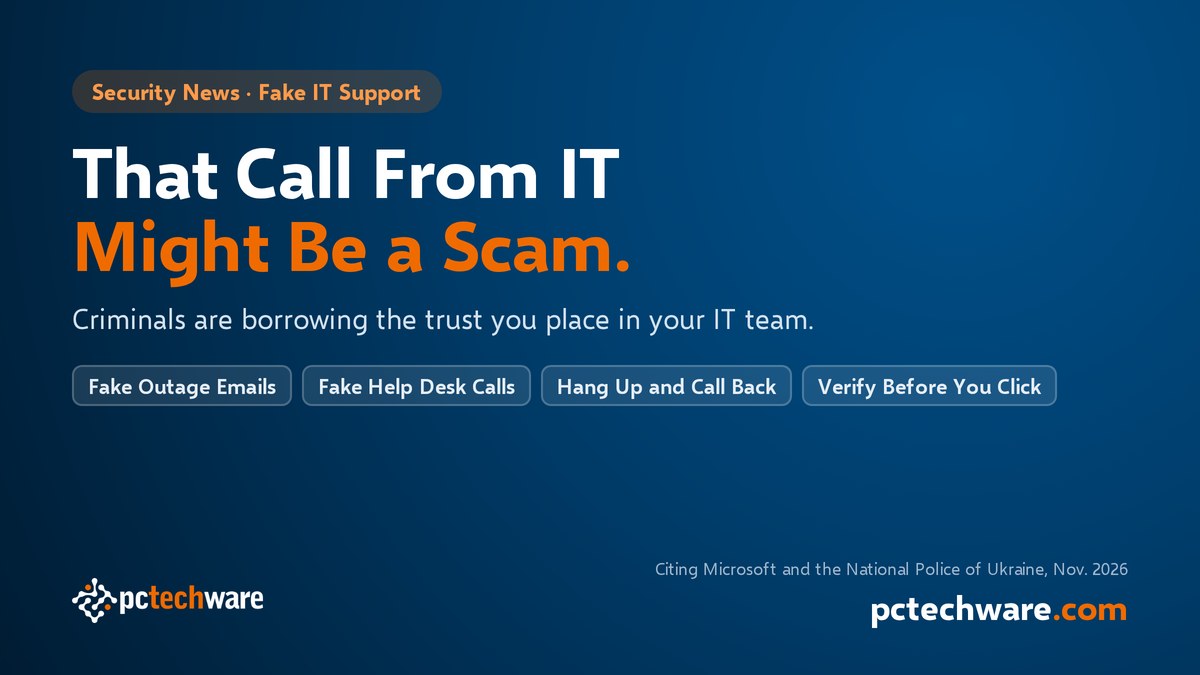
Five Habits That Stop Fake IT Support
None of these need new software, just a team that knows them.
- Know how your real IT provider reaches you. Write down who your IT people are, the number you call them on and how a support request normally starts, and share it with everyone, so anything that does not match stands out.
- Never approve a remote session or read out a code for a caller you did not expect. If someone calls out of the blue and asks you to install a program, let them connect to your computer, or read out a password or an MFA code, the one-time number from your phone or app, stop. Microsoft's advice for an unexpected support call is to hang up and not give the caller remote access to your device. [6]
- Hang up and call back on the number you already have. Not the number the caller gives you, and not one from an email or a pop-up. Microsoft says plainly: do not use a phone number or link supplied by a suspicious call, message or pop-up. [6]
- Check the real status page, not the link in the email. If a message says Microsoft 365 is having trouble, type the address of Microsoft's own service status page yourself: status.cloud.microsoft. [8] Microsoft also says its error and warning messages never include a phone number, and that it does not make unsolicited calls to offer technical support. [6]
- Report anything odd to your IT provider fast. Clicked a link, entered a password or let someone connect? Say so right away. For anyone who may have entered a password, Microsoft advises resetting it and signing the account out everywhere. [3] And remember the Ukrainian case: the break-in happened while the call was still going. [4] Minutes matter.
A Habit, Not a Product
When we wrote about the outages, our point was that planning beats panic. The same is true here. The criminals in both stories did not break anything clever. They counted on someone being in a hurry.
So give your team permission to slow down. A real IT provider will never be upset that you hung up and called back. If you would like help putting a simple verification rule in place for your business, schedule a conversation with our team.
Sources
- BleepingComputer, Lawrence Abrams, Microsoft Entra Connect Health Flaw Exploited to Steal Tenant Data, November 21, 2026. www.bleepingcomputer.com
- Microsoft, security notification about Microsoft Entra Connect Health, emailed to affected Microsoft Entra customers, November 2026 (received by PC Techware; the notice is not public, so it is not linked).
- Microsoft Security Blog, Microsoft Threat Intelligence (Jeremiah Jasmin, Jonathan Armer and Shreya Kale), High Volume Phishing Campaign Uses Microsoft 365 Outage Lures to Target Multiple Industry Sectors, November 16, 2026. www.microsoft.com
- National Police of Ukraine, A Call From IT Support Leaves a Company at the Mercy of Hackers (statement in Ukrainian and English), November 18, 2026. npu.gov.ua
- BleepingComputer, Lawrence Abrams, report on the Ukraine and FBI ransomware arrests, citing Ukrainian court records first reported by LeMagIT, November 18, 2026. www.bleepingcomputer.com
- Microsoft Support, Protect Yourself From Online Scams and Attacks (tech support scams guidance). support.microsoft.com
- Malwarebytes, Pieter Arntz, Outage or Attack? Don't Let Social Media Fill In the Gaps, November 18, 2026. www.malwarebytes.com
- Microsoft, Microsoft Service Health Status page. status.cloud.microsoft

Matt runs operations at PC Techware and works with clients every day on how technology supports their business.
Connect on LinkedIn